
Understanding Trigger Sensitivity Issues on Gate Aster & Titan ETUs
- Posted on
- By AEX News
Learn how to identify, correct, and recalibrate trigger sensitivity issues on Gate Aster and Gate Titan ETUs using the Gate Control Station app. Includes troubleshooting steps and when to recalibrate for best performance.
Understanding Trigger Sensitivity Issues on Gate Aster & Titan ETUs
Hello again everyone! Welcome back to another episode of Tips and Tricks from Airsoft Extreme. Today, we’re taking a look at an important topic that has been coming up more often in our tech department — trigger sensitivity issues on the Gate Aster and Gate Titan systems.
What Causes Trigger Sensitivity Problems?
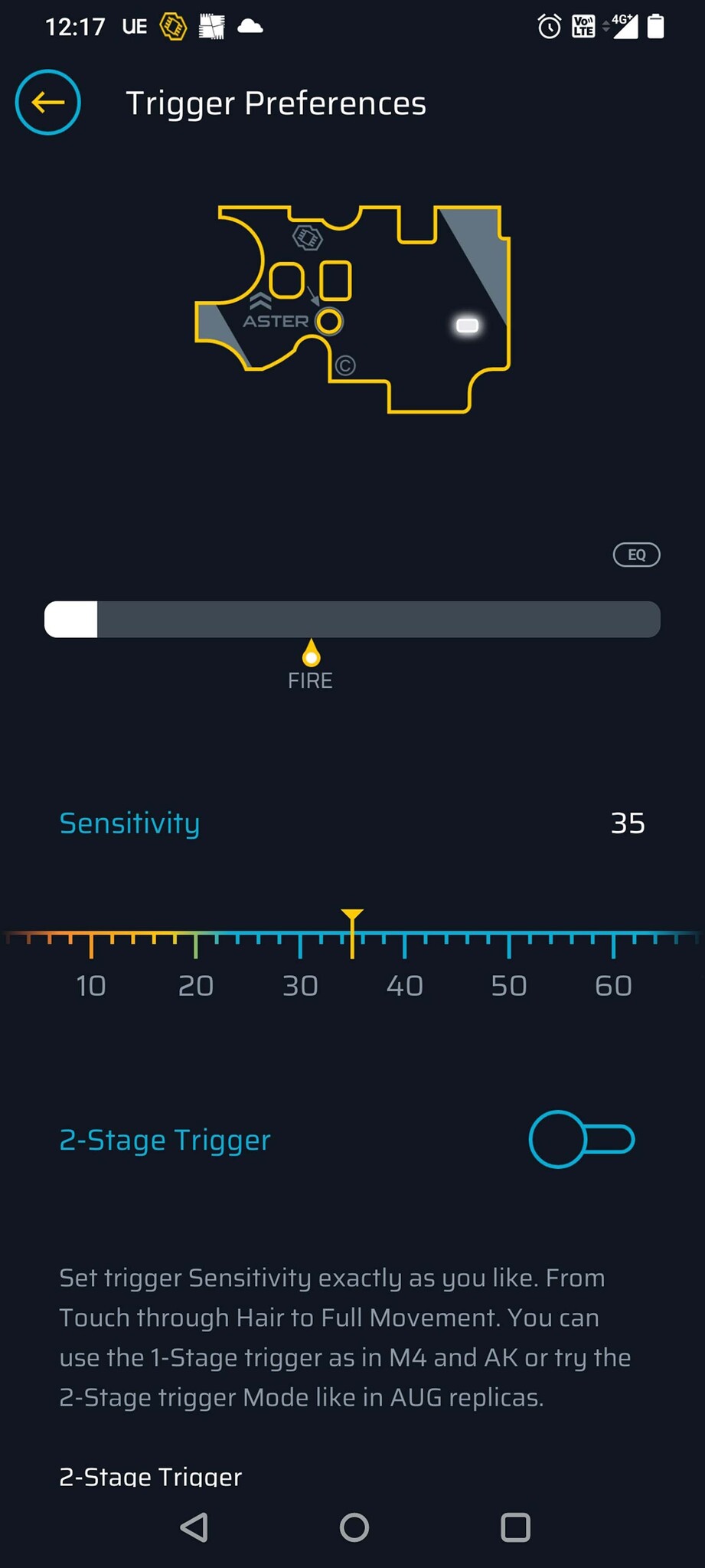
For today’s demonstration, we’re using a Gate Aster SX paired with the Gate Control Station (GCS) app. In Picture 1, you’ll see our trigger sensitivity set to about 35.
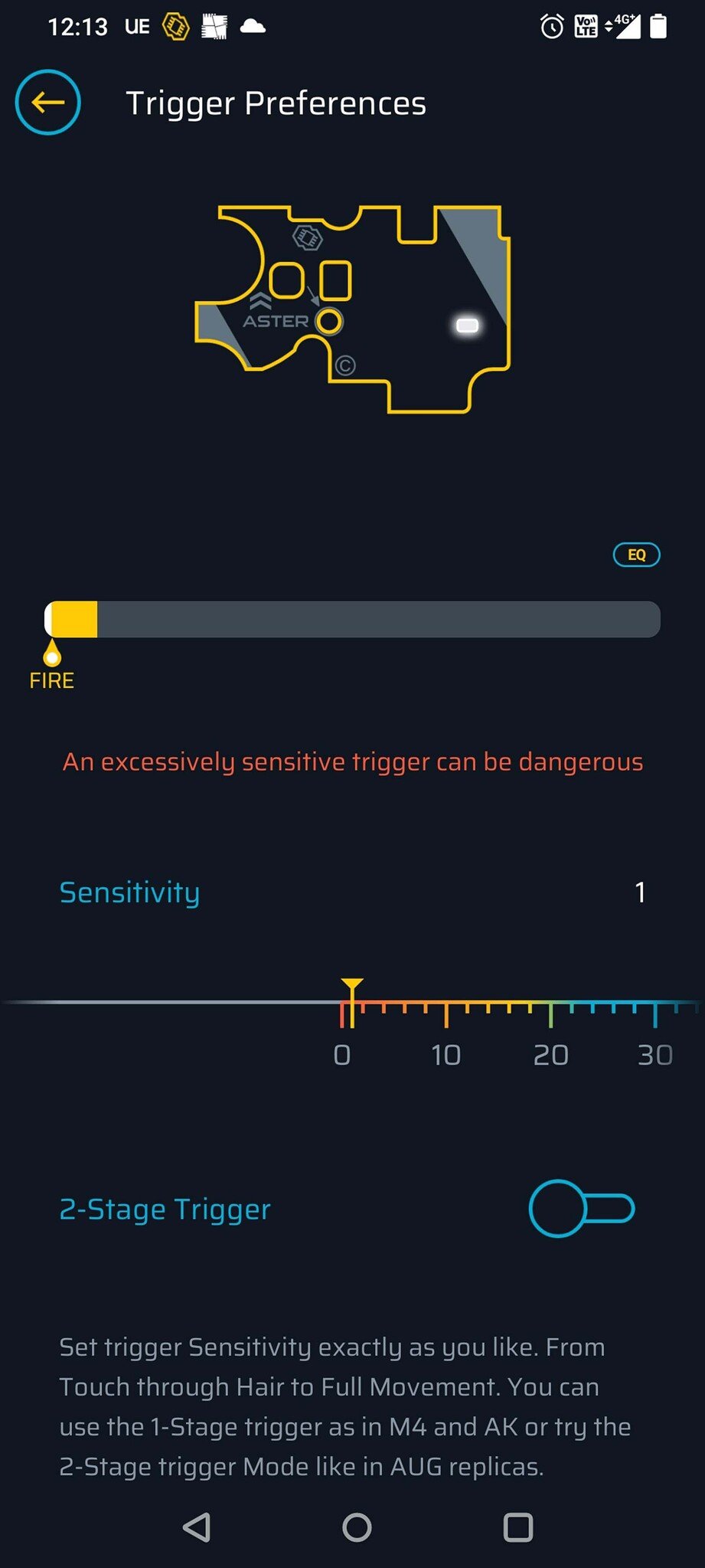
Recently, our technicians have noticed more guns coming in where the Gate Titan or Aster will not fire correctly. The cause? The system’s sensors are incorrectly detecting that the trigger is already in the “fire” position — even when it isn’t (Picture 2).
How to Fix Incorrect Trigger Detection
Fortunately, this issue is usually easy to correct. Here’s how to adjust your trigger sensitivity:
- Open the Gate GCS app.
- Navigate to the Trigger Sensitivity setting.
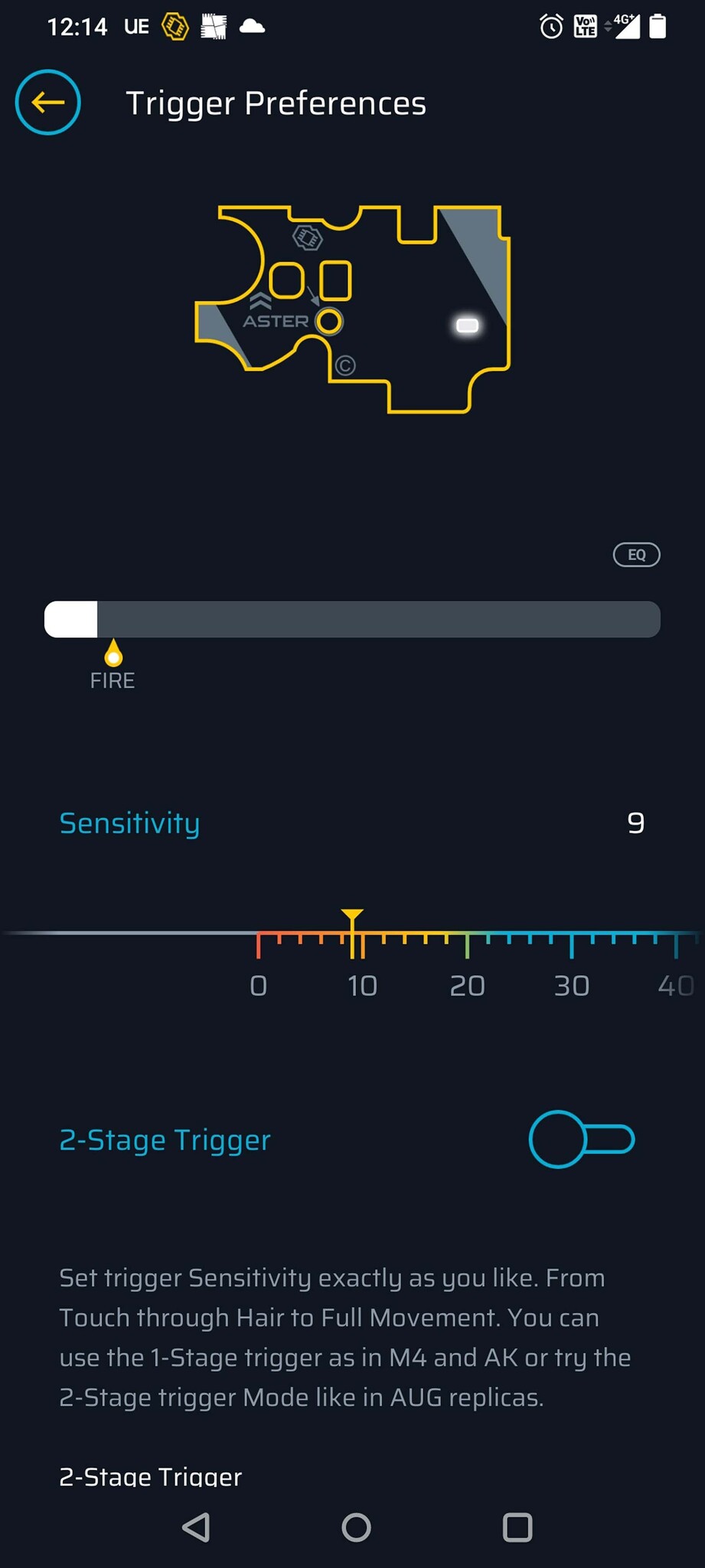
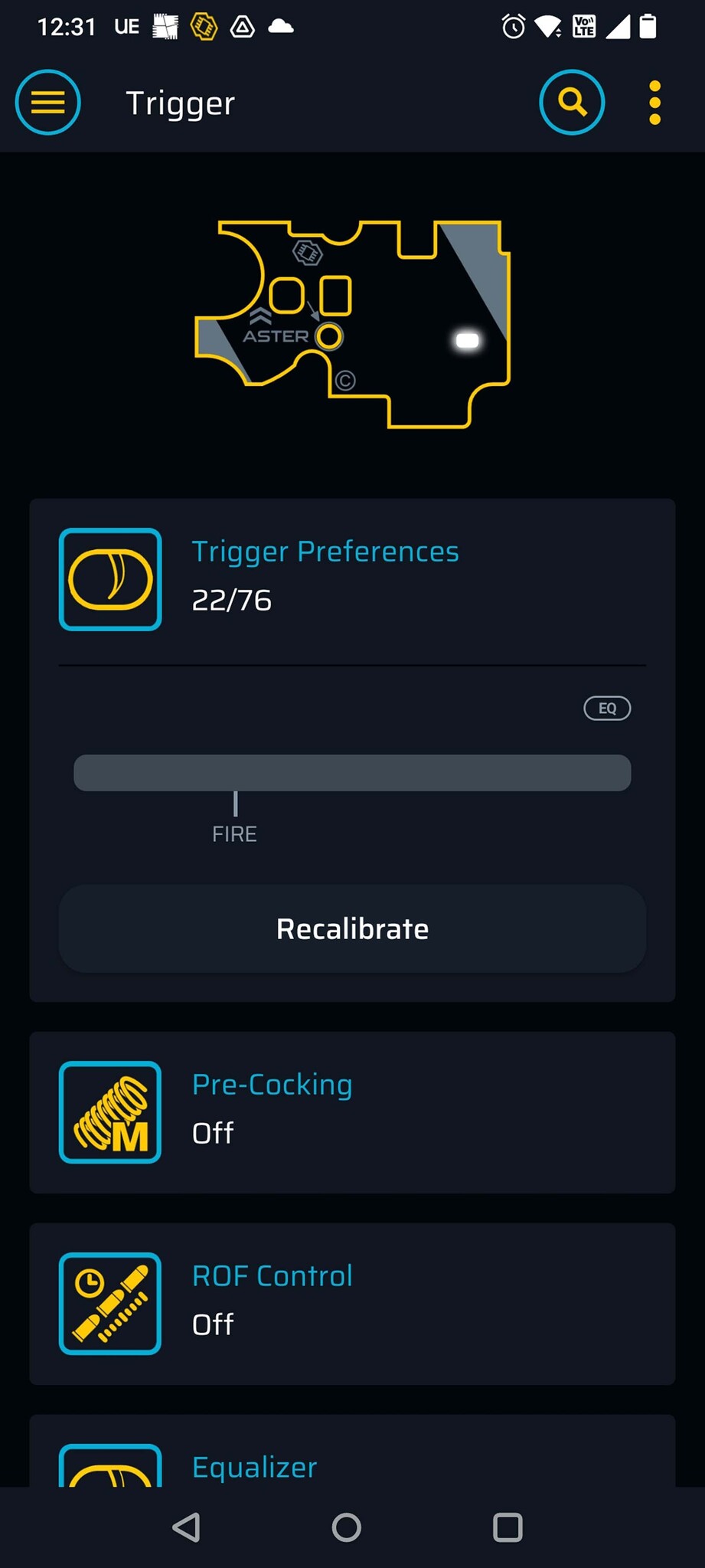
- Move the slider to the right until the white bar sits just to the left of the “fire” position indicator.
This adjustment allows the ETU to correctly recognize when your trigger is at rest versus when it is being pulled.
Still Having Trouble? Recalibrate Your Trigger
If adjusting sensitivity doesn’t fully solve the issue, recalibration is the next step. Here’s how:
- Select Recalibrate.
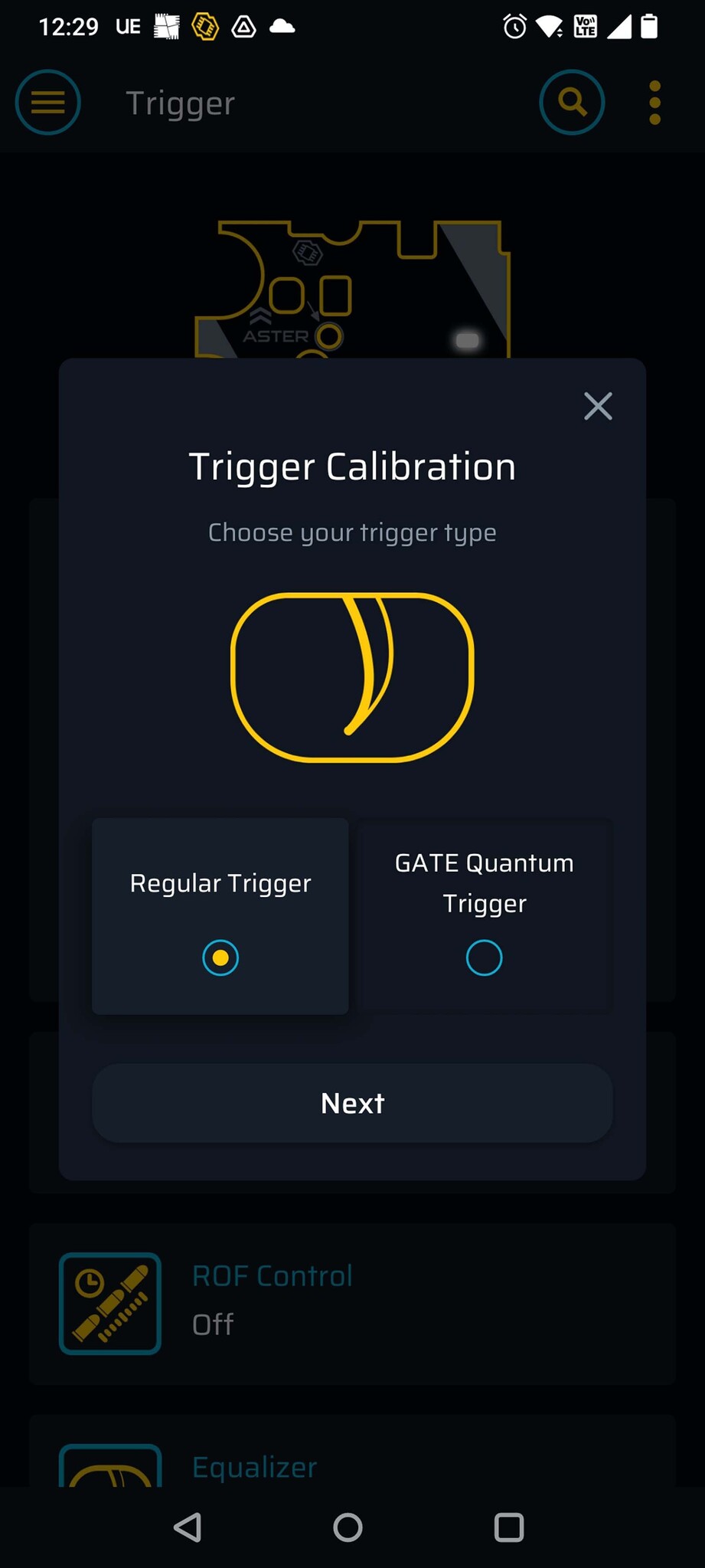
2. Choose your trigger type.
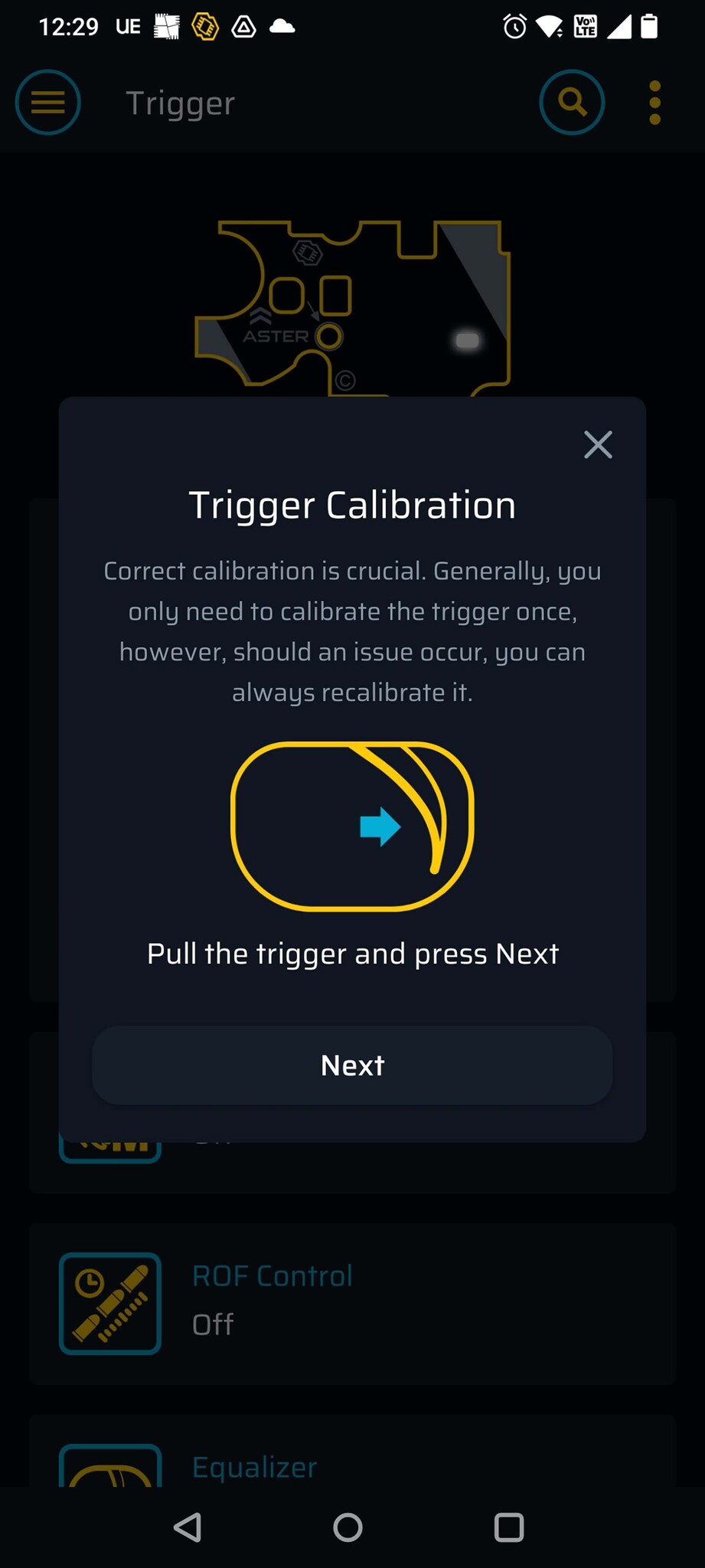
3. Follow the on-screen instructions to complete calibration
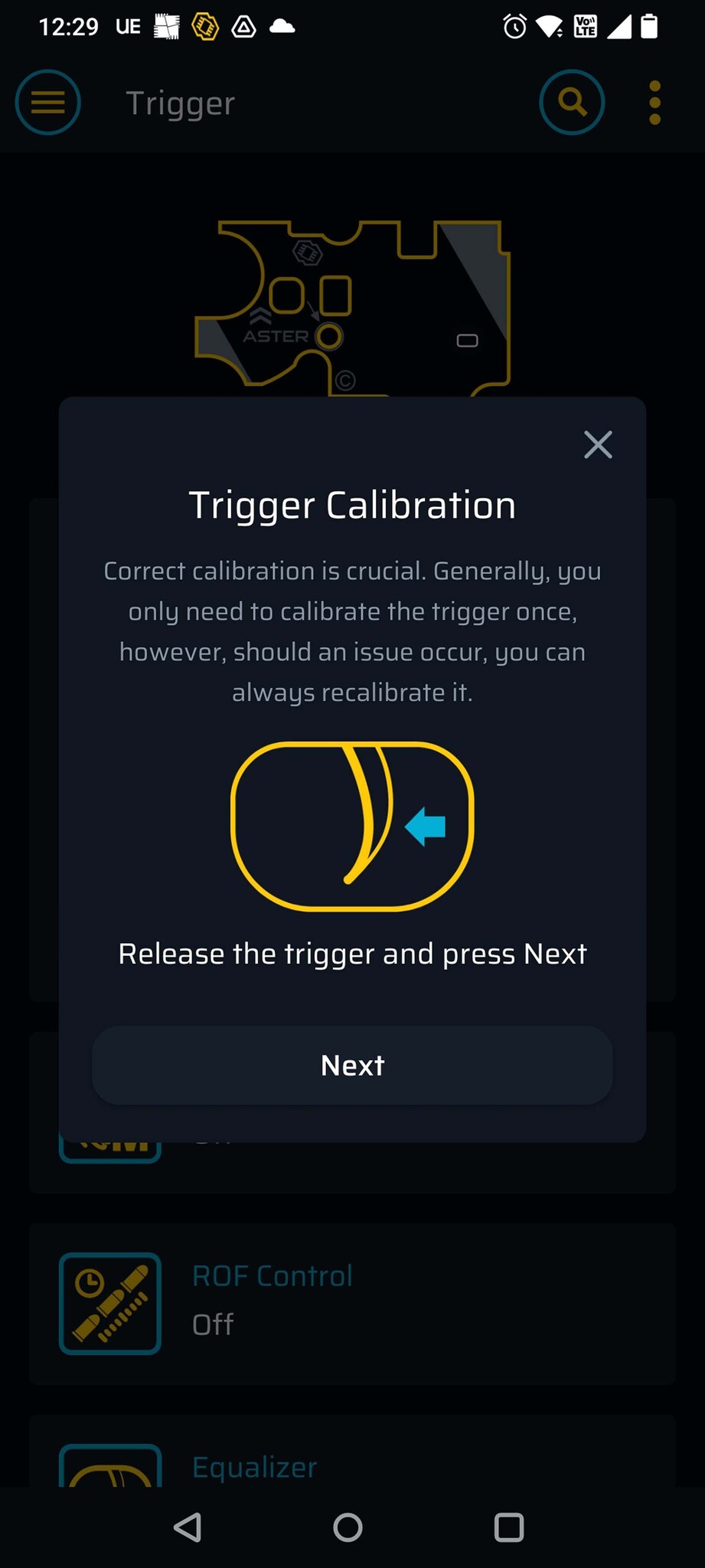
4. Click OK to finalize recalibration.
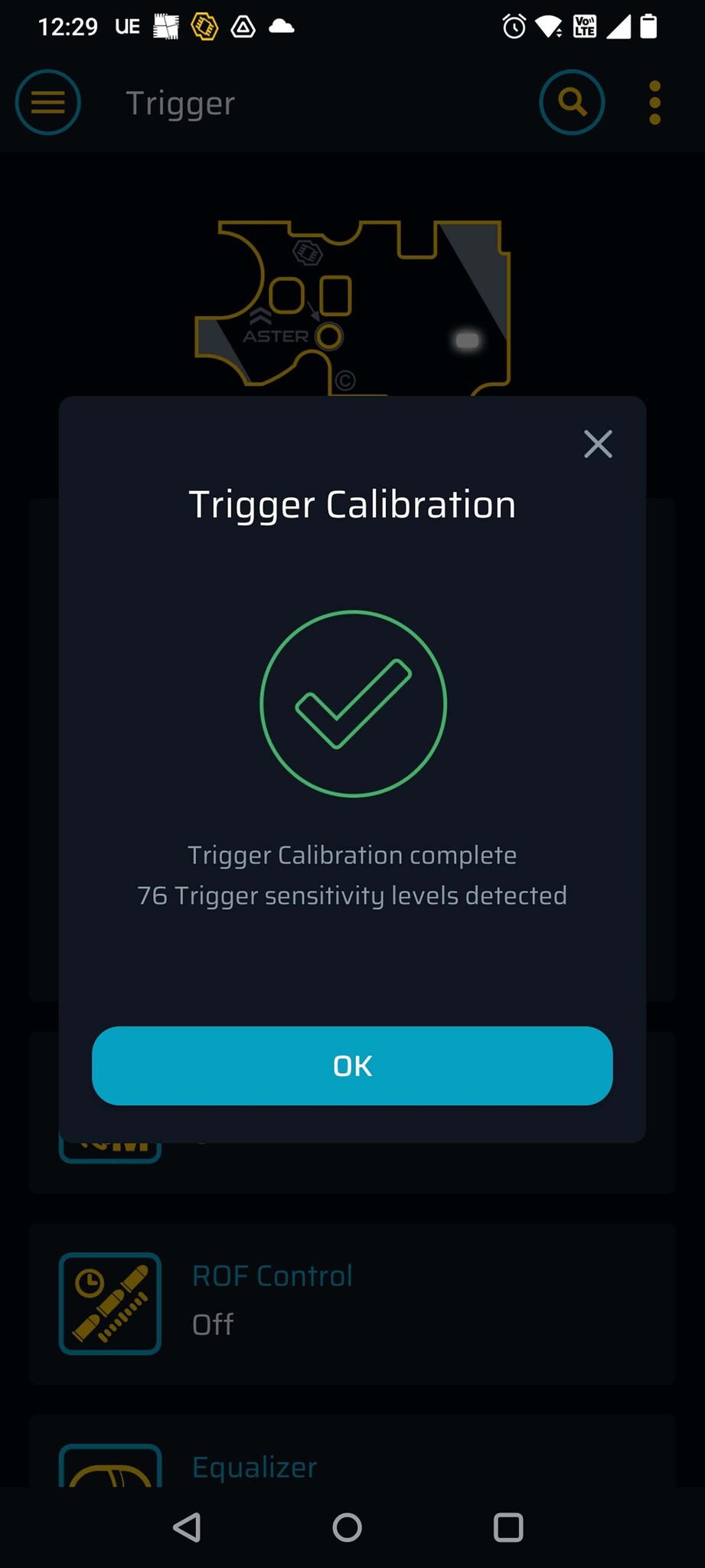
After calibration, return to the Trigger Sensitivity menu to fine-tune the responsiveness to your preference.
Need Help? Stop by Any Airsoft Extreme Location
If you’re still experiencing issues, don’t hesitate to come by and speak with our knowledgeable staff. We’re here to help at all four California locations — Santa Clara, Rancho Cordova, Carson, and San Diego.
Thanks for tuning in, and stay sharp for more Airsoft Extreme Tips and Tricks!


