
How to Set Up Your GATE Titan for Third-Party Brushless Motors
- Posted on
- By AEX News

Learn how to properly configure your GATE Titan or Aster MOSFET for third-party brushless motors. Covers GCS setup, safe settings for cycle detection, active braking, battery protection, and trigger tuning for optimal performance.
The GATE Titan and Aster MOSFETs are some of the most advanced fire control units available for AEGs. When paired with a third-party brushless motor, you can achieve lightning-fast trigger response, efficiency, and consistency—if you set them up correctly. Make sure you have: Once everything is connected, follow these steps to configure your settings for optimal performance and safe operation. Open the GATE Control Station and connect your Titan or Aster unit. Once connected, confirm that the device is detected and your firmware is up to date. In the GENERAL tab of GCS, make the following adjustments: Navigate to the TRIGGER tab in GCS and adjust the following: After saving your settings, test-fire your AEG to ensure smooth cycling and proper trigger response. Listen for irregularities and monitor heat or unusual resistance. If you notice any stuttering or abrupt stops, revisit your braking or cycle detection settings. Pairing a GATE Titan or Aster with a third-party brushless motor can dramatically improve trigger performance and shot consistency when configured correctly. By disabling unnecessary features and letting your motor’s ESC do its job, you’ll get a smoother, more reliable AEG setup built for modern airsoft performance. Need help with your Titan setup? Visit any of our Airsoft Extreme stores in Santa Clara, Rancho Cordova, Carson, or San Diego, or browse our full selection of GATE MOSFETs and brushless motors online.How to Set Up Your GATE Titan for Third-Party Brushless Motors
Before you begin
Step 1: Connect your Titan or Aster to GCS
Step 2: Adjust your General settings
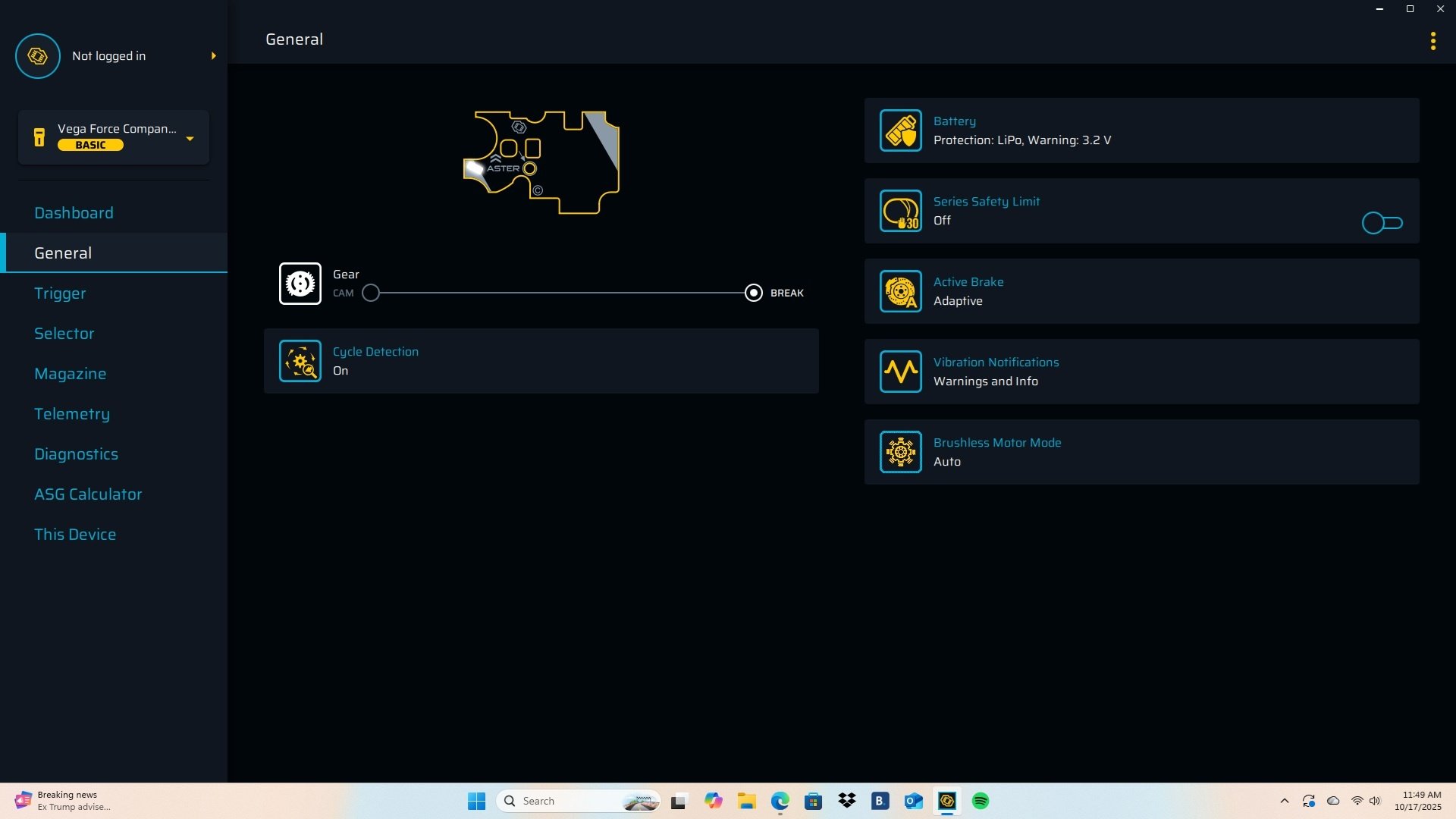
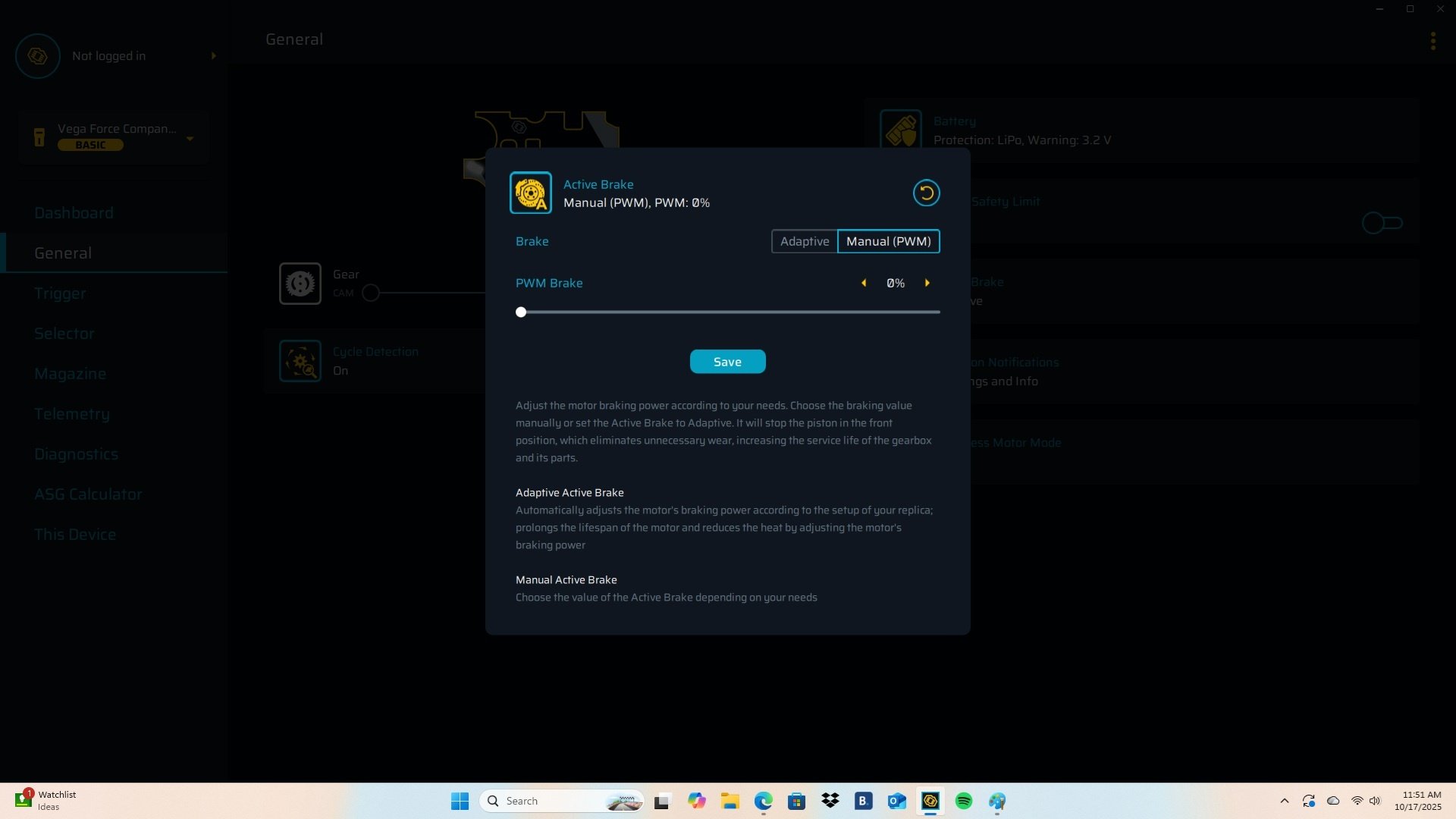
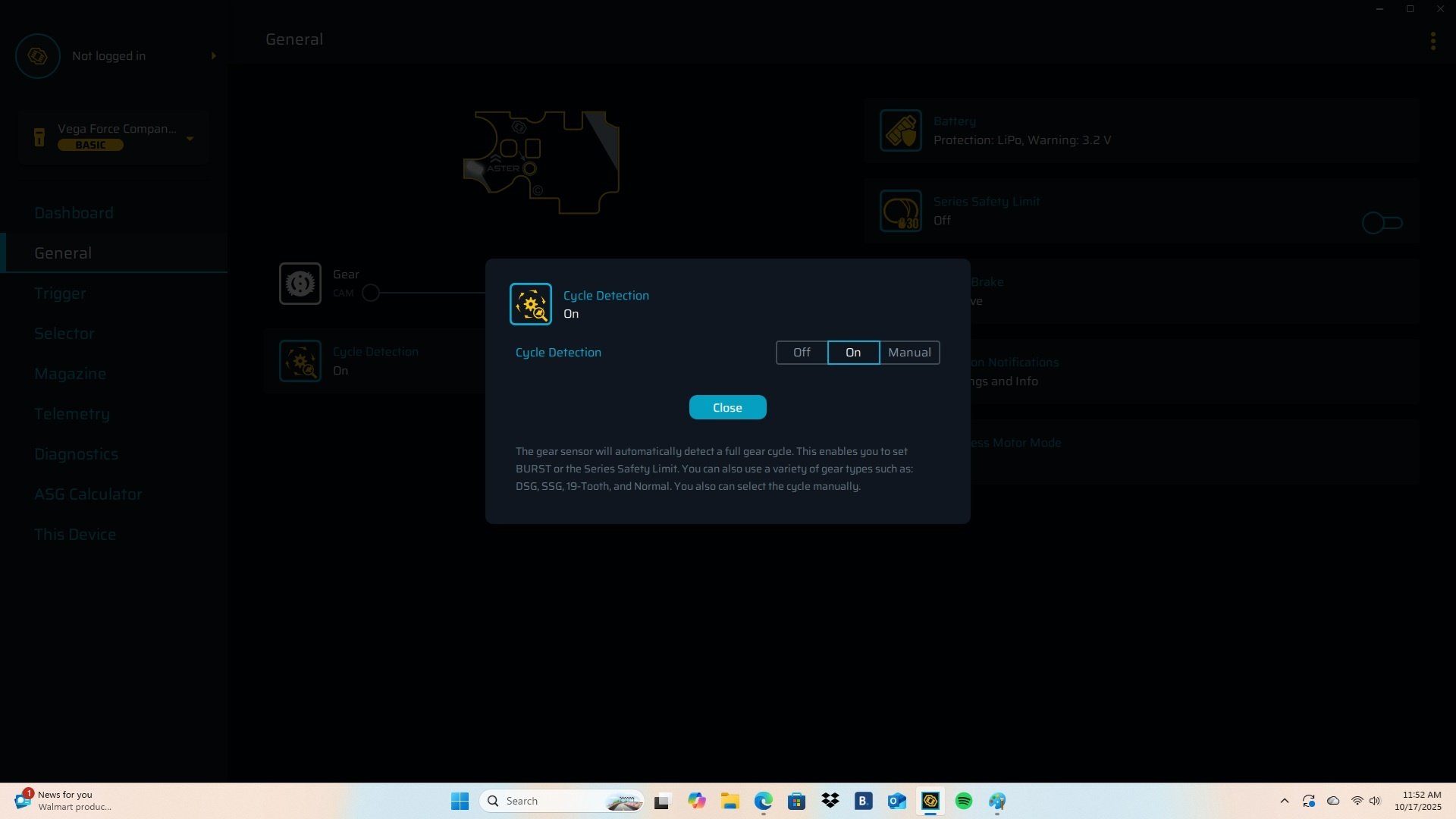
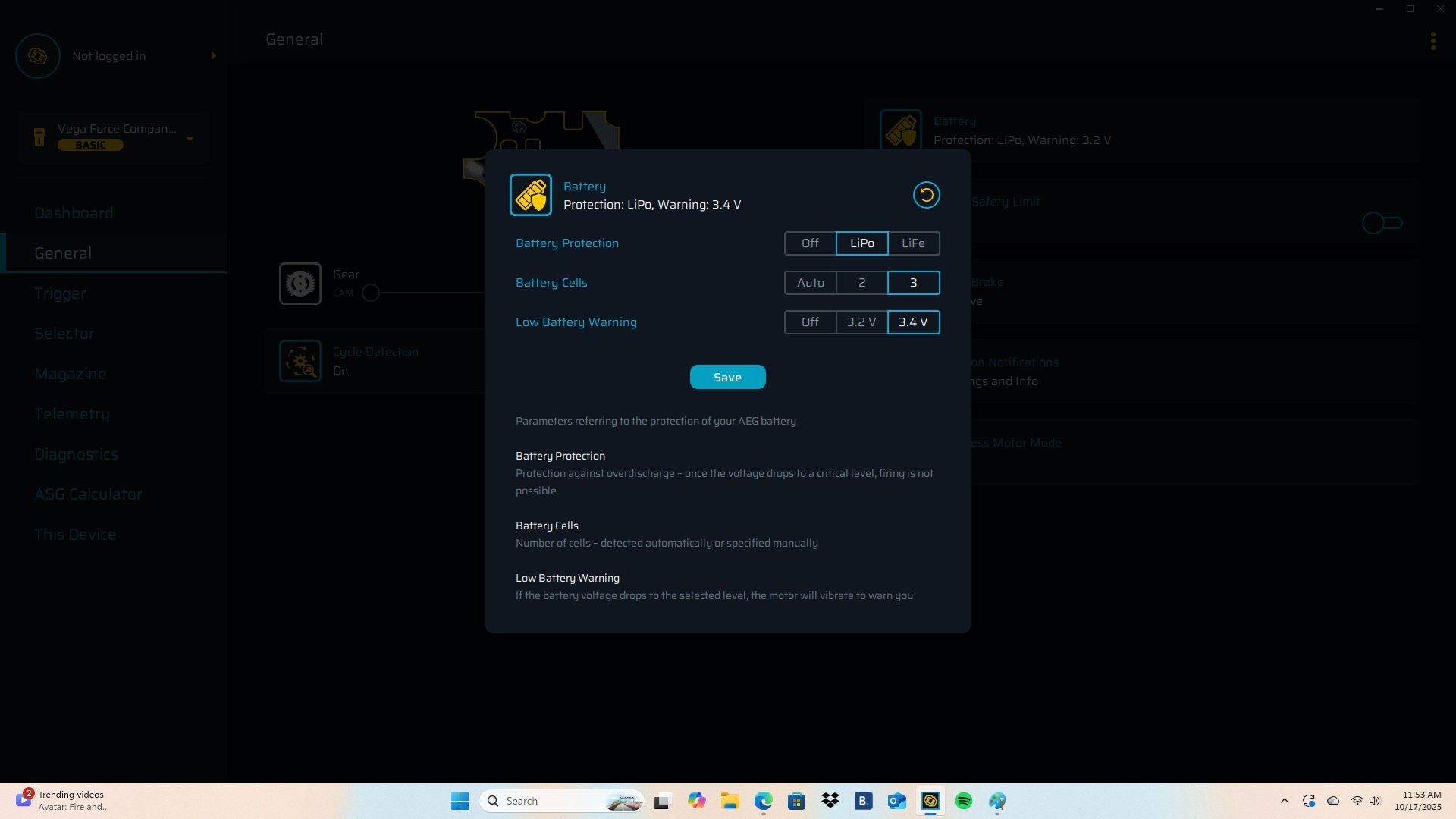
Step 3: Configure your Trigger settings
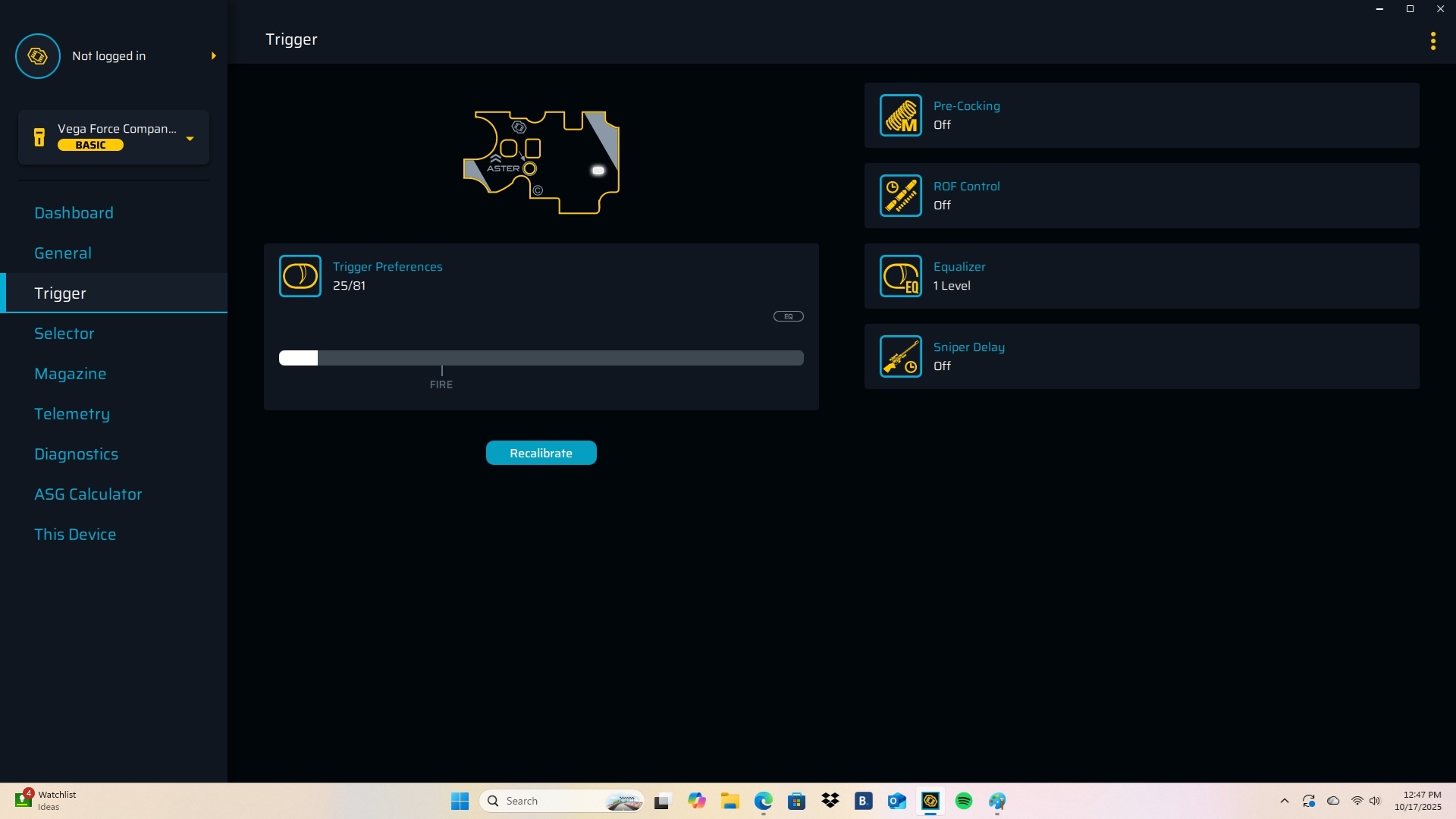
Step 4: Test and fine-tune
Quick tips for best performance
Final thoughts


