
How to Mount Electronic Ear Protection to a PTS MTEK FLUX Helmet
- Posted on
- By AEX News

Want to ditch the headband and mount your electronic ear protection directly to your helmet? This guide walks you through installing a Peltor-style headset onto a PTS MTEK FLUX helmet using UNITY Tactical MARK adapters.
PTS MTEK FLUX & UNITY Tactical MARK Installation Guide
Hello gear-dos and tacti-nerds!
Have you been trying to run your tactical electronic ear protection without wearing your helmet over the headband?
If so, you're in luck. Airsoft Extreme has the solution to help you mount your ear protection directly to your helmet for a cleaner, more comfortable setup.
Today, we'll be installing electronic hearing protection onto a PTS MTEK FLUX Helmet using the UNITY Tactical MARK mounting system.
For this tutorial, Lawrence from Airsoft Extreme San Diego has graciously volunteered his Peltor COMTAC III Dual Down Lead Headset. If you're using a different headset and aren't sure whether this setup will work, feel free to contact or visit one of our Airsoft Extreme locations for assistance.
Step 1: Remove the Headband
Begin by removing the headband from your electronic hearing protection. This will free the wiring and expose the mounting hardware needed for the conversion.
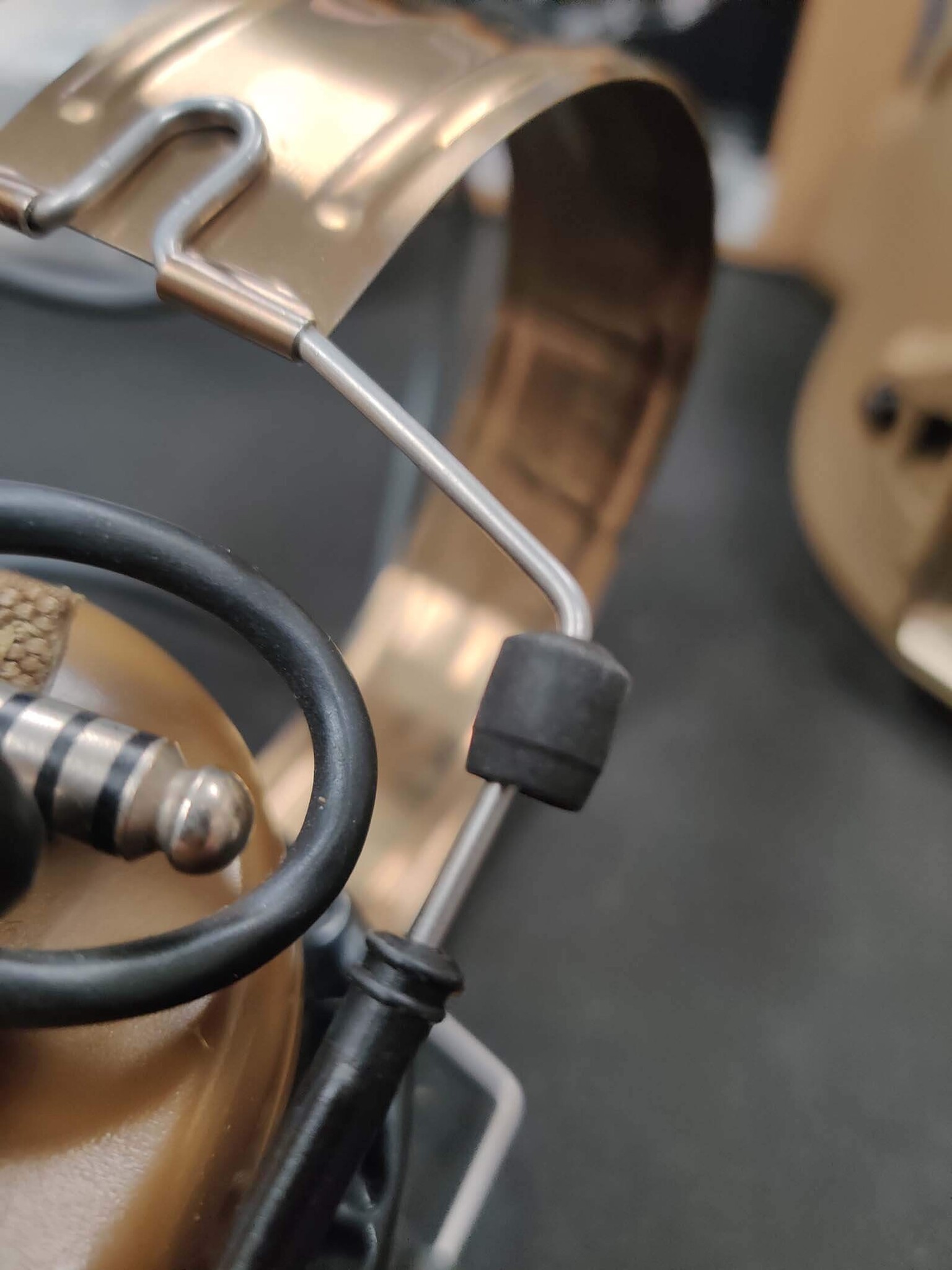
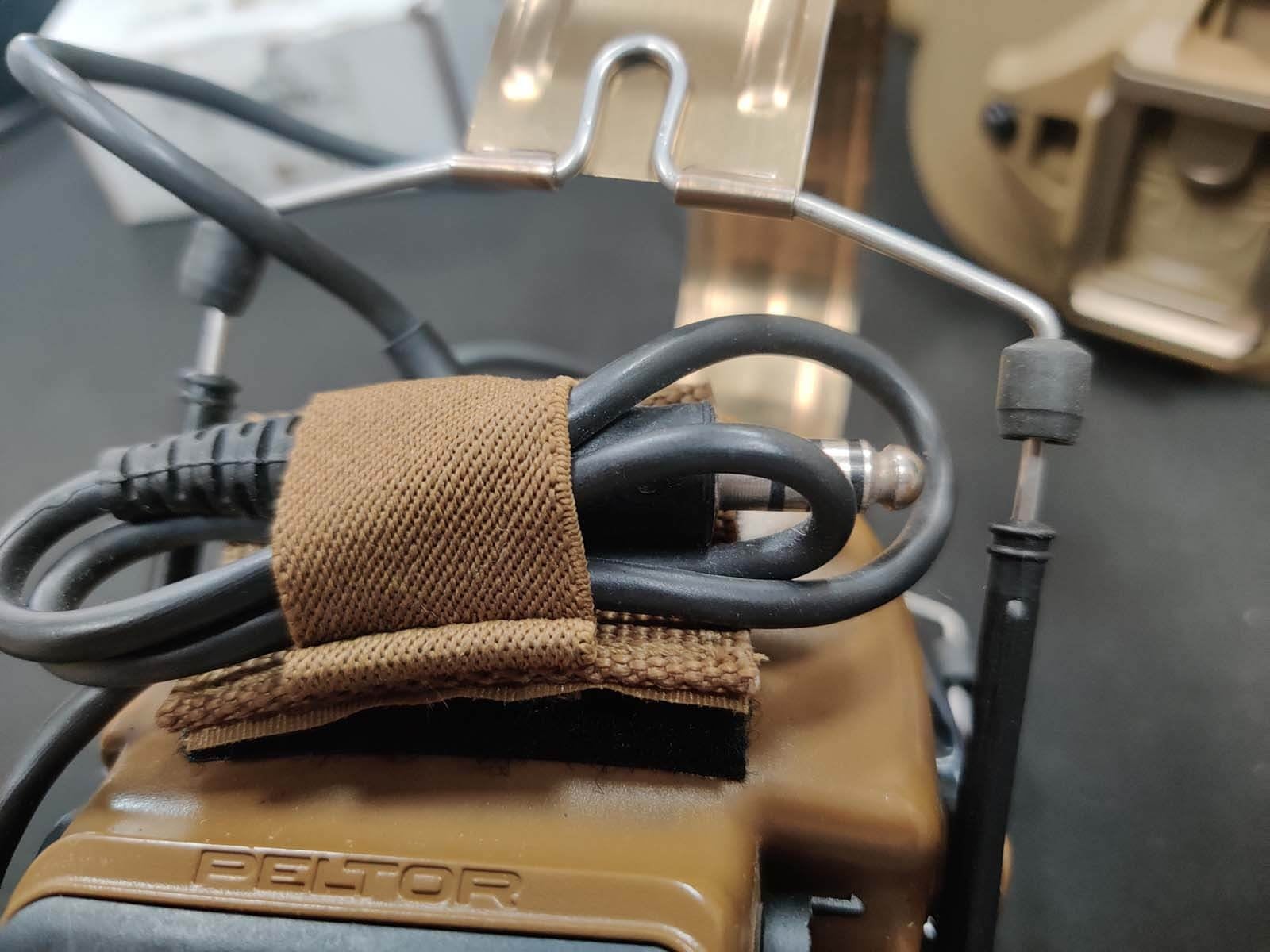
Step 2: Remove the Rubber Retention Rings
You will find four rubber retention rings securing the headset stems. (See Picture 3)
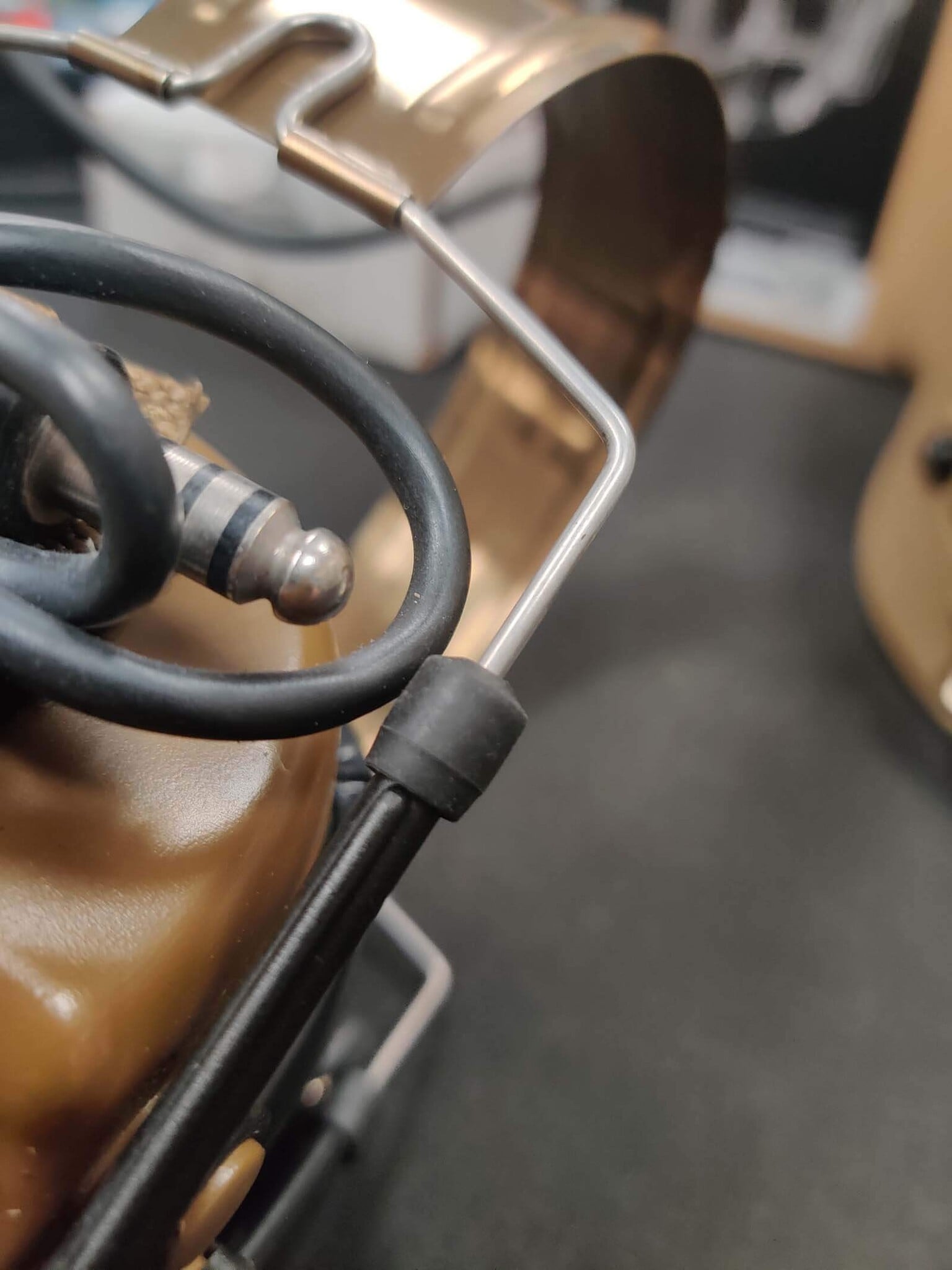
Carefully pull the retention rings away from the plastic stems. (See Picture 4, Picture 5 & Picture 5.5)
Step 3: Remove the Metal Inserts
Once the retention rings have been removed, you can pull the metal inserts out of the plastic stems. (See Picture 6)
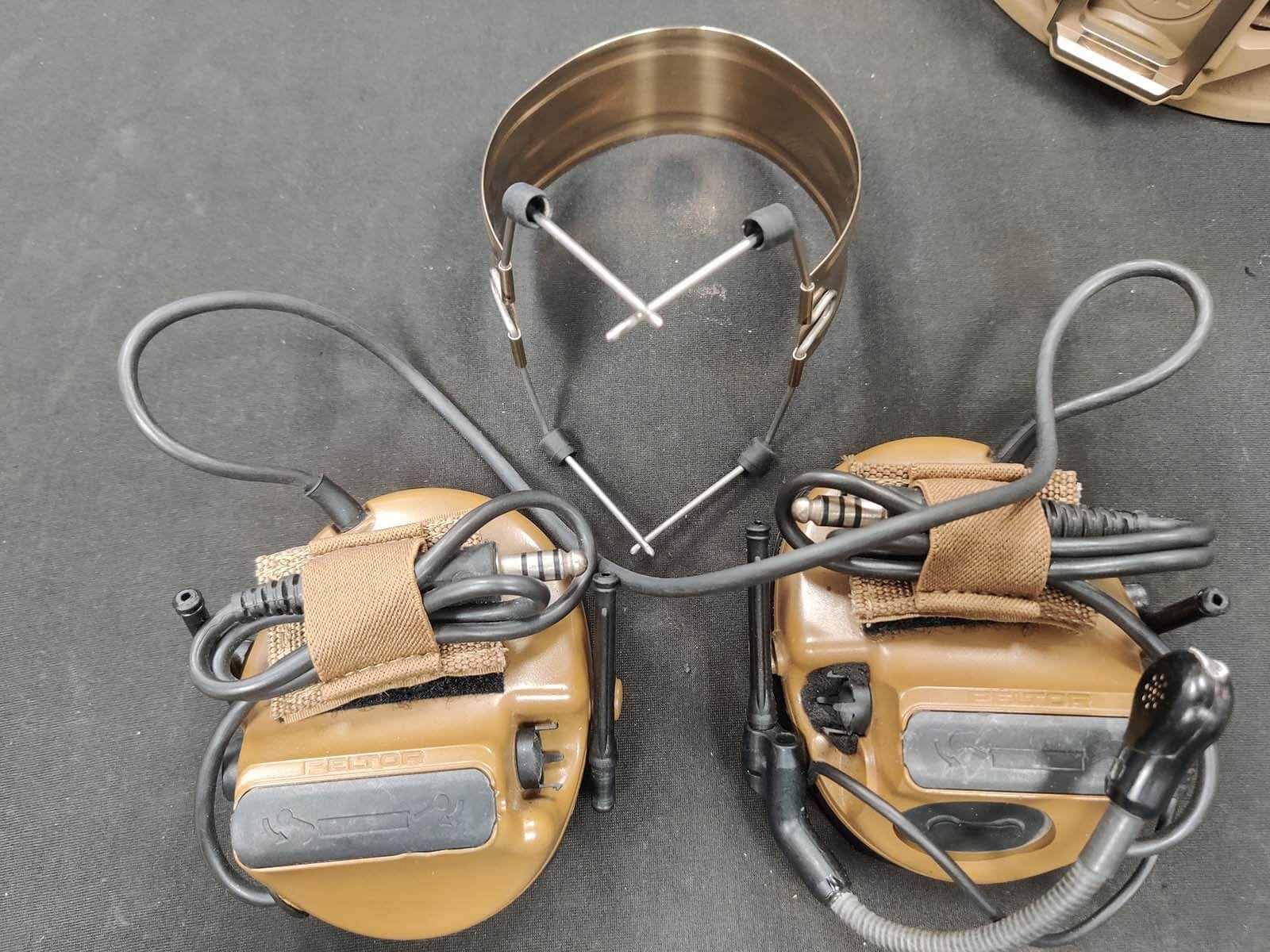
Important: Do not lose the rubber retention rings—they will be reused during installation. (See Picture 7)
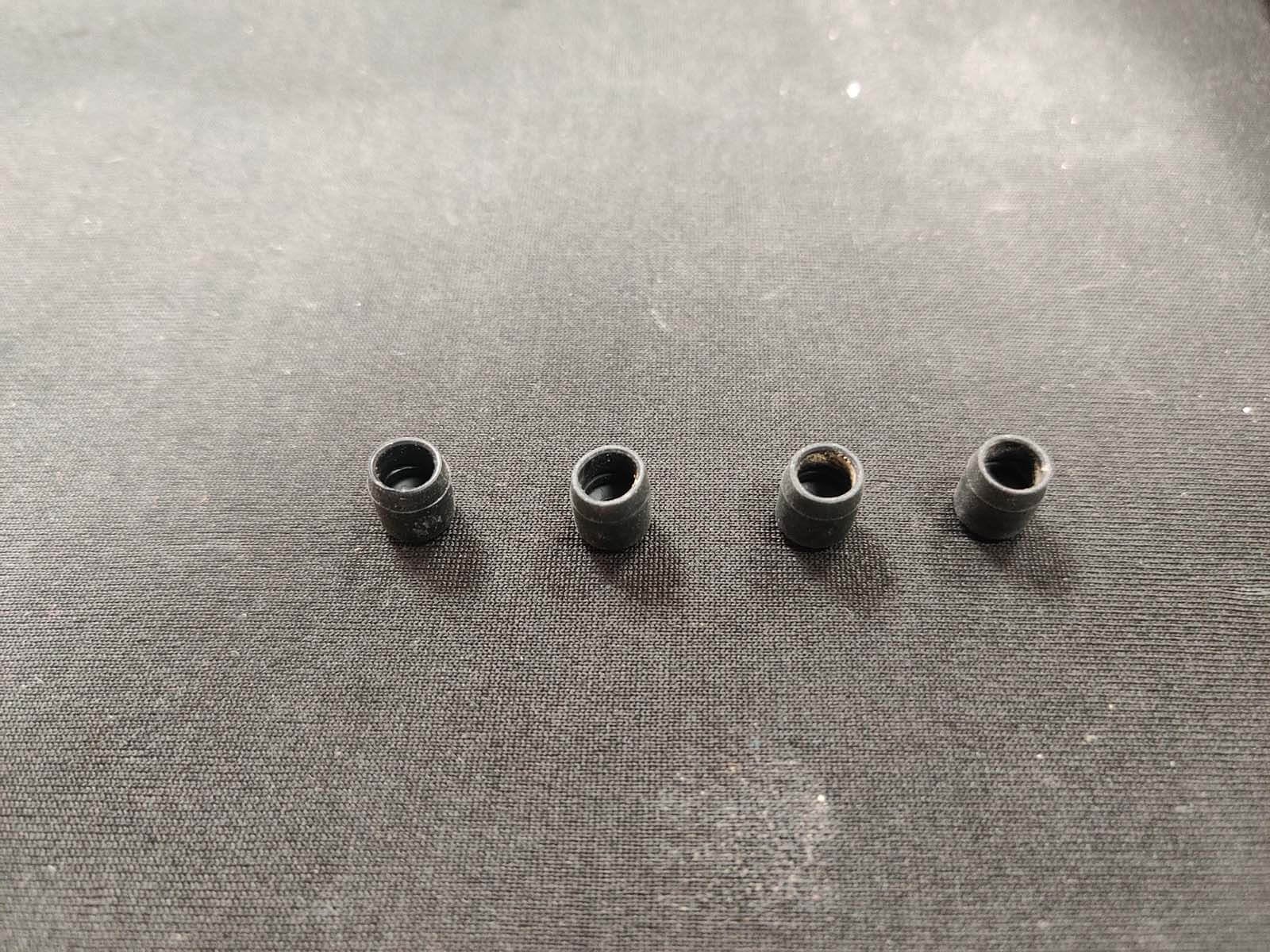
Step 4: Install the Retention Rings on the MARK Adapters
Slide the rubber retention rings onto the stems of the UNITY Tactical MARK adapters. (See Picture 8)
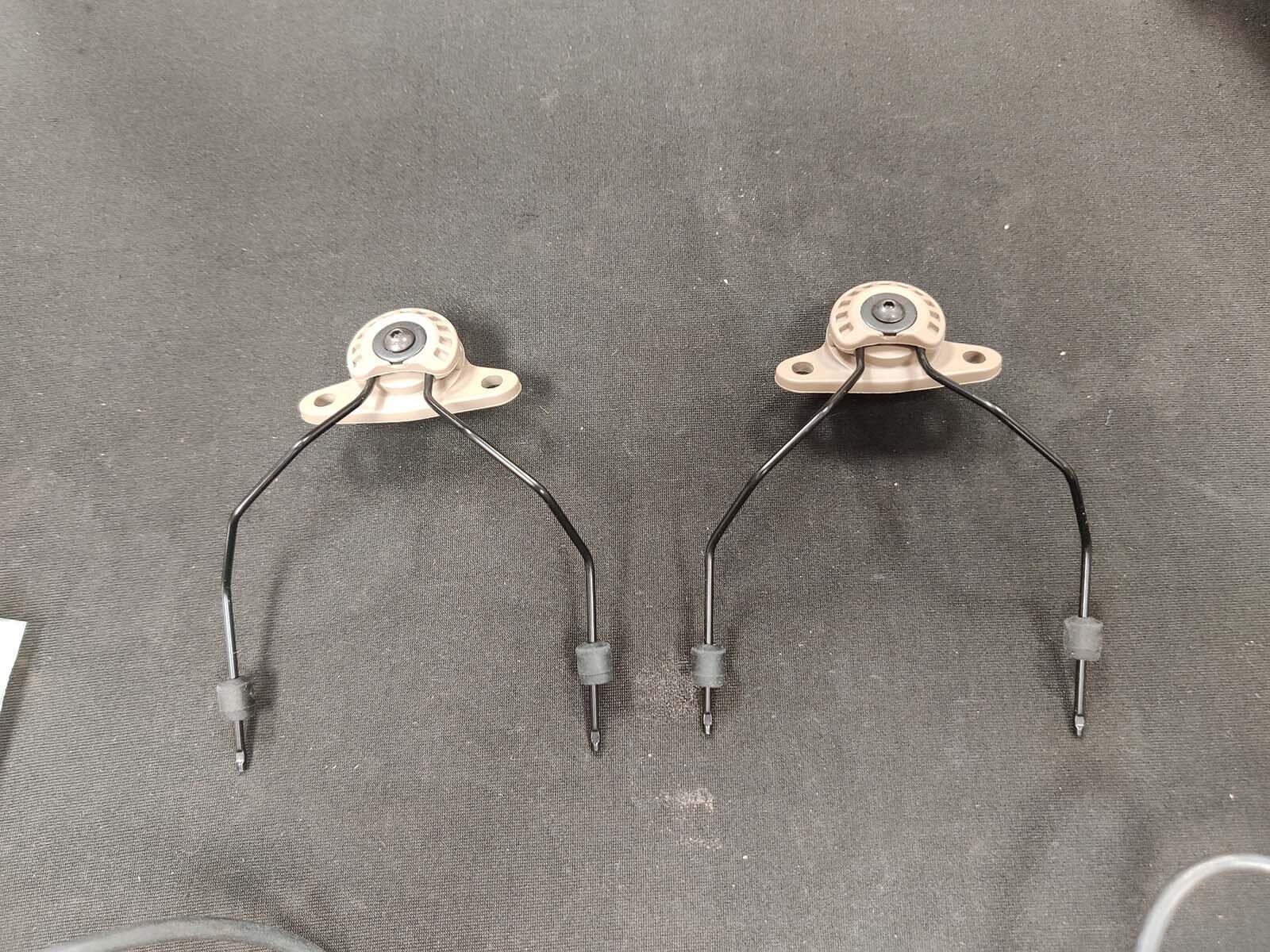
Step 5: Attach the MARK Adapters to the Ear Protection
Insert the UNITY Tactical MARK stems into the headset's plastic mounting stems. (See Picture 9)
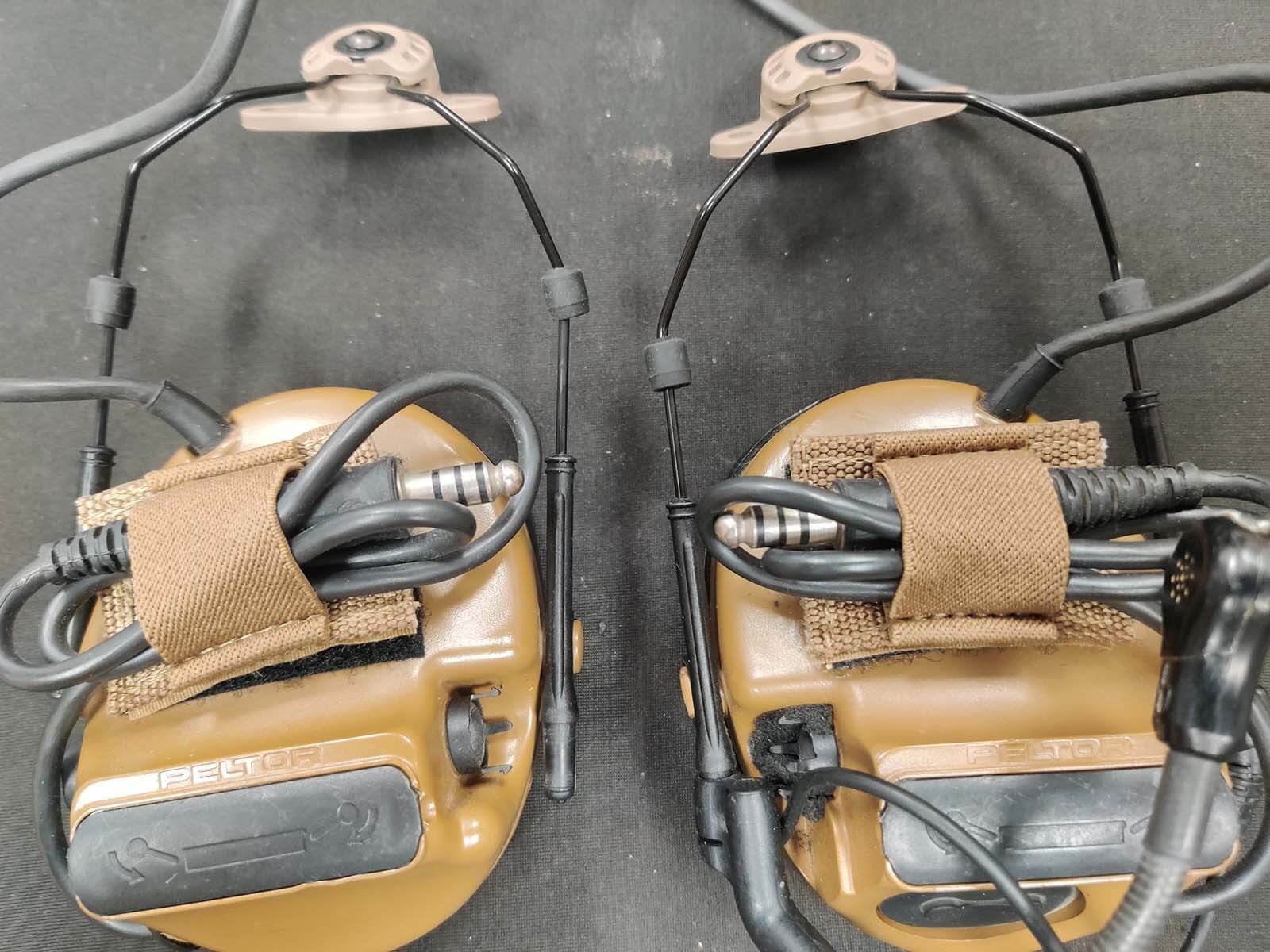
Once seated, slide the rubber retention rings back down to secure the assembly. (See Picture 10)
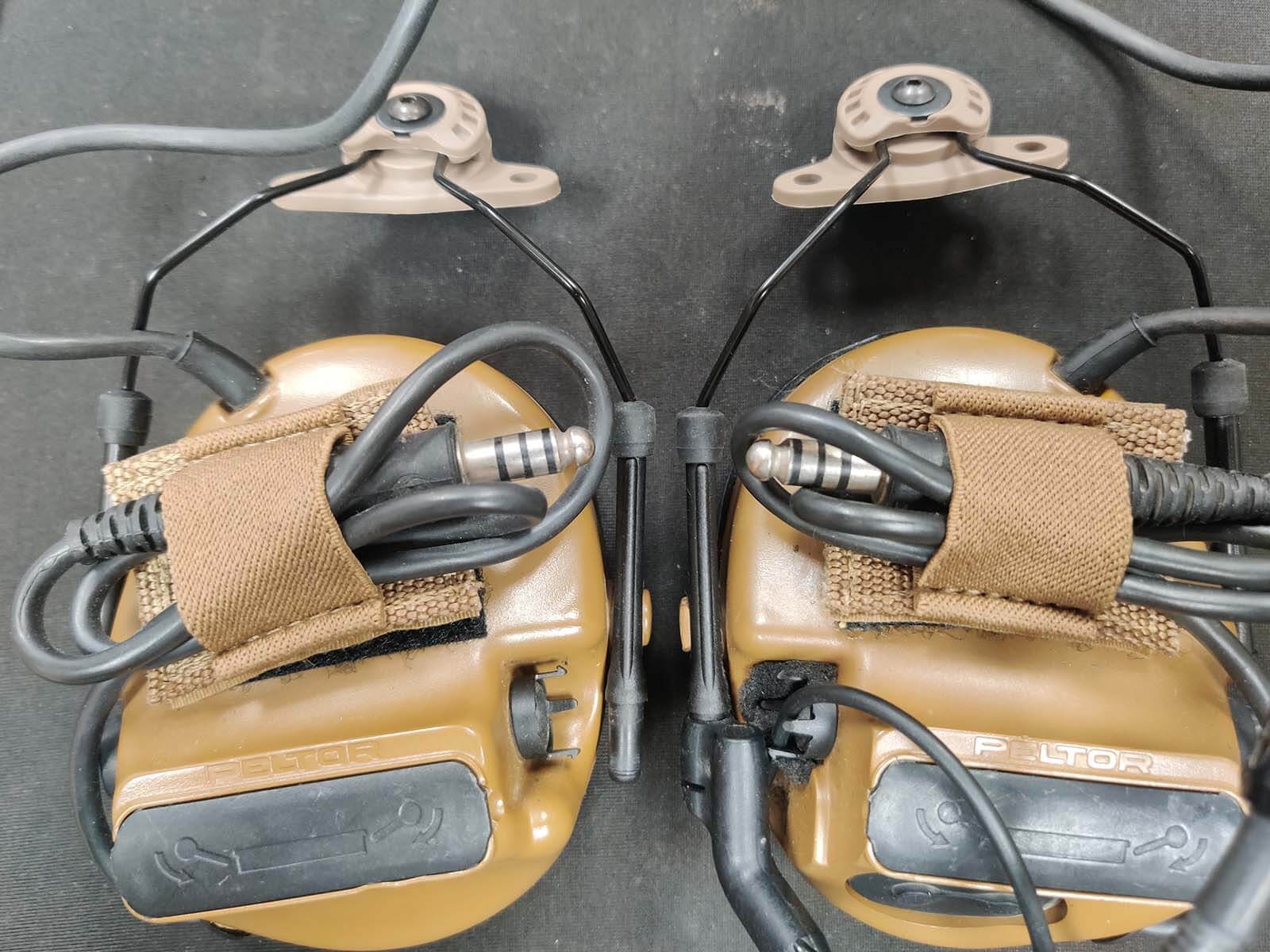
Step 6: Install the Mounting Hardware
Install the supplied M-LOK hardware into the UNITY Tactical MARK mounts. (See Picture 11 & Picture 12)
Step 7: Mount Everything to the Helmet
Align the UNITY Tactical MARK mounts with the mounting slots on your PTS MTEK FLUX helmet.
Tighten the Allen bolts to secure the system in place. (See Picture 13 & Picture 14)
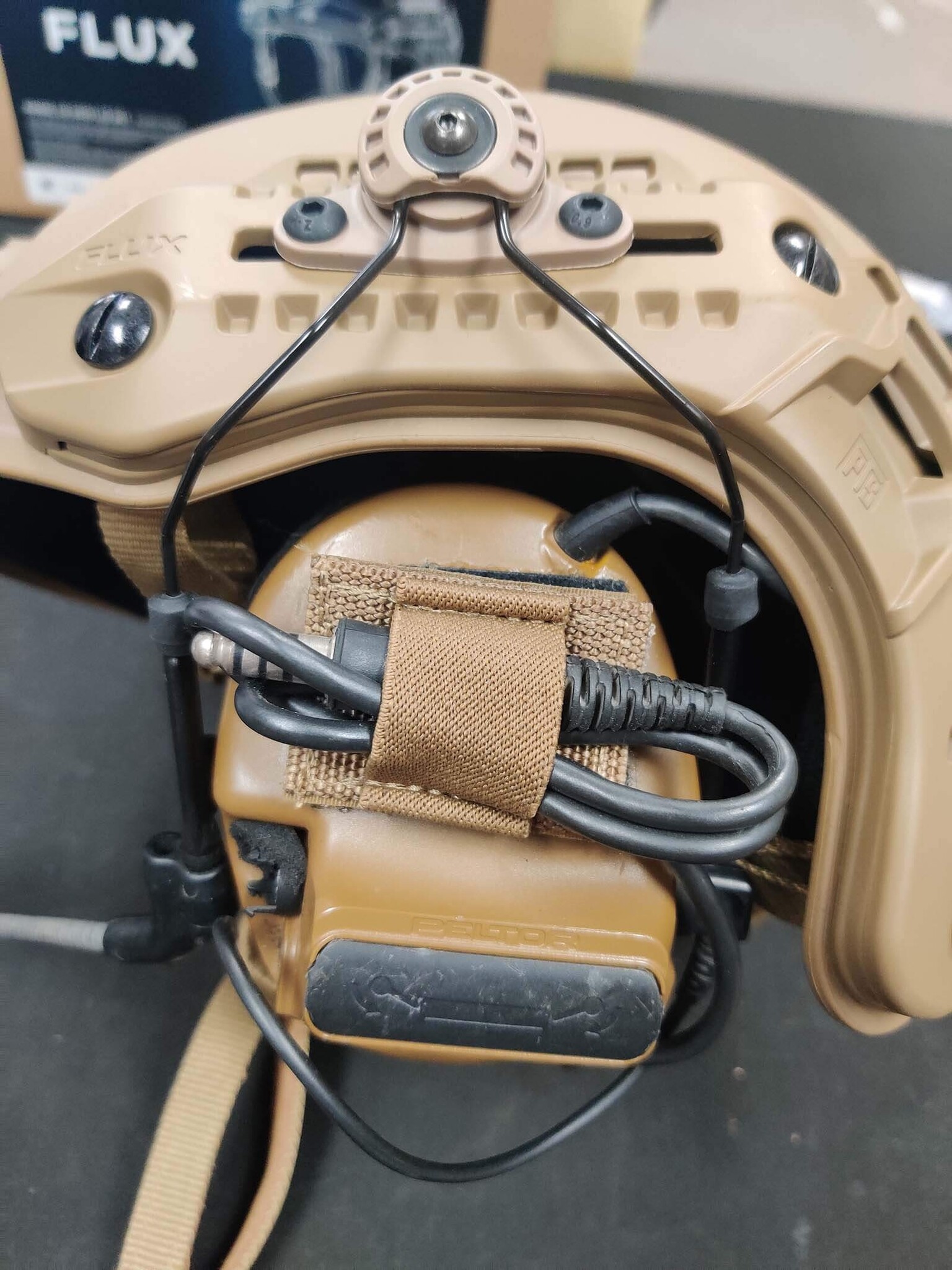
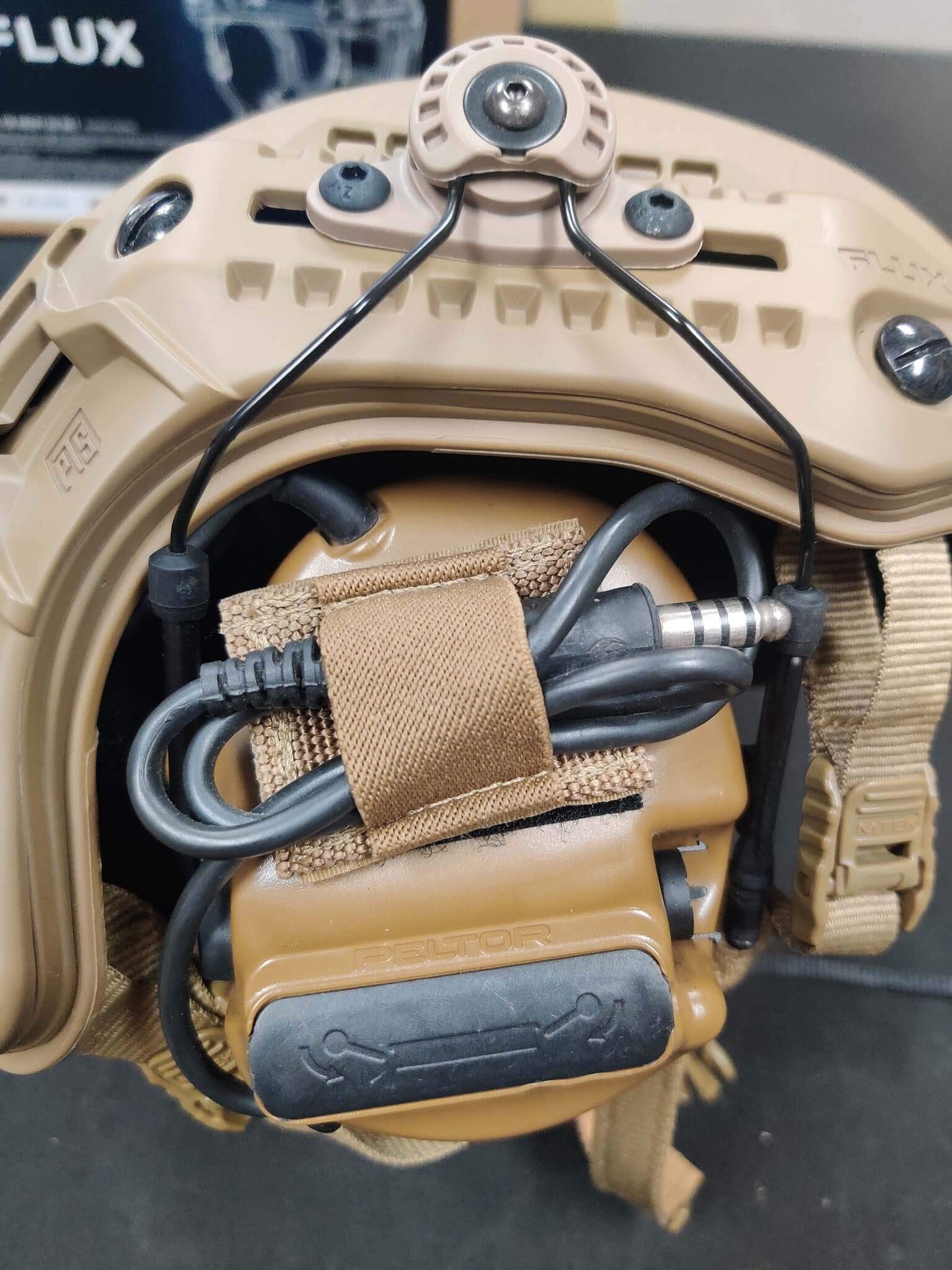
Once tightened, your electronic hearing protection is ready to use.
Final Result
You now have a streamlined helmet setup that eliminates the traditional headband while maintaining all the functionality of your electronic ear protection.
Please forgive us for using Lawrence's ugly mug in the final photo—but someone had to model the completed setup.

Final Thoughts
We hope this guide helps you get your helmet setup dialed in and brings you one step closer to completing your dream loadout.
Thank you for stopping by for another Airsoft Extreme Tips & Tricks guide. We look forward to seeing you again soon.


